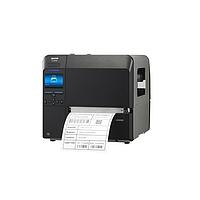
Barcode Printer
Clear, durable labeling is a basic requirement in warehousing, manufacturing, logistics, retail operations, and traceability workflows. When labels need to be produced on demand with consistent readability, a Barcode Printer becomes a practical part of the identification system rather than just another office device.
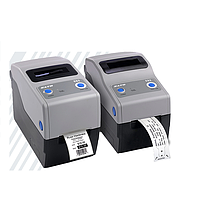
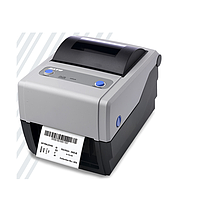
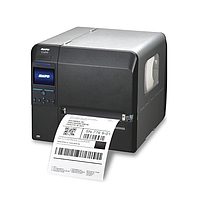
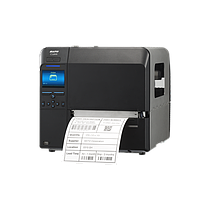
This category brings together printers designed for barcode, label, and industrial marking tasks across different working environments. From compact desktop units for daily shipping labels to higher-throughput industrial models and RFID-capable systems, the selection supports businesses that need reliable printing performance and straightforward integration into existing processes.

Where barcode printers are typically used
Barcode printing is closely tied to operational accuracy. In many facilities, labels are used to identify products, cartons, shelves, work-in-progress items, documents, or assets, so print quality directly affects scanning reliability and downstream data capture.
Typical applications include shipping label generation, warehouse bin labeling, production tracking, retail shelf and product tags, and internal identification labels. Depending on the task, buyers may also compare this category with a broader thermal printer range when evaluating print technology and media compatibility.
Desktop and industrial models serve different operational needs
One of the most important decisions is choosing between a desktop printer and an industrial platform. Desktop printers are generally better suited to lower-volume or space-limited environments such as packing stations, small warehouses, reception counters, laboratories, or retail back offices.
Examples in this category include the Zebra ZD421 Desktop Printers (300 dpi), Zebra ZD230 Value Desktop Printer (203dpi), and TSC Zenpert 3R20 Barcode Printer. These models are relevant when users need compact footprints, accessible media loading, and standard connectivity for everyday label output.
Industrial printers are designed for heavier duty cycles, more demanding environments, and longer print runs. Models such as the Zebra ZT411 Industrial Printer, Honeywell PM45 Industrial Printers, Honeywell PM45C Industrial Printers, Honeywell PD45 Industrial Label Printer, and Honeywell PX940 High-Performance Industrial Printer are better aligned with production floors, distribution centers, and applications where durability, connectivity, and sustained throughput matter.
Key printing methods and why they matter
Most products listed here use direct thermal, thermal transfer, or support both. This choice affects label lifespan, consumables, and the types of media that can be used in the process.
Direct thermal printing is often chosen for short- to medium-life labels such as shipping labels, delivery routing labels, and temporary logistics tags. Thermal transfer printing is usually preferred when labels need better resistance to handling, storage conditions, or longer-term identification, since it uses ribbon-based printing onto suitable label materials.
Many business users select dual-mode printers because they allow more flexibility across changing applications. That makes models such as the Zebra ZD421, Zebra ZT411, and several Honeywell industrial units attractive where one printer may need to support multiple label types over time.
Resolution, speed, and connectivity in real selection scenarios
Specifications are most useful when tied to the actual labeling task. Resolution affects the clarity of small text, dense barcodes, compact labels, and specialized identification formats. For standard shipping and warehouse labels, 203 dpi is common, while 300 dpi or 600 dpi may be more suitable for smaller labels, tighter barcode density, or more detailed print output.
Within this category, the Zebra ZD230 and several Honeywell industrial models illustrate common 203 dpi setups for general-purpose labeling. The Zebra ZD421 offers a 300 dpi desktop option, while the Zebra ZT610 RFID Printers and related ZT610 + BTS-WS-SUB-3YR / BTS-WS-SUB-5YR variants represent a higher-resolution 600 dpi option for more demanding labeling and encoding workflows.
Connectivity is another practical selection factor. USB may be sufficient for a local workstation, but Ethernet, serial, Bluetooth, Wi-Fi, or host connectivity can be important when printers are deployed in networked environments, integrated into ERP/WMS workflows, or used across multiple operator stations. For users comparing broader labeling systems, it can also help to review related label printing equipment depending on media type and output requirements.
RFID-capable printers for traceability-focused operations
Not every barcode labeling task requires RFID, but for some supply chain and asset management applications, integrated RFID printing and encoding can simplify deployment. Instead of separating label printing from tag encoding, one device can support both steps in a more unified workflow.
The Zebra ZT610 RFID Printers, Zebra ZT610 + BTS-WS-SUB-3YR RFID Printers, Zebra ZT610 + BTS-WS-SUB-5YR RFID Printers, and Zebra ZD621R Desktop Printer show the range from industrial to desktop-oriented RFID-capable solutions in this category. These options are relevant where businesses need printed labels together with RFID support for inventory visibility, item-level tracking, or automated identification systems.
For operations already standardized around the Zebra ecosystem, these models may be especially relevant because they combine established barcode printing workflows with RFID functionality in the same device family.
Brand and product examples in this category
Several recognized manufacturers are represented in the wider category context, including CITIZEN, Honeywell, Ricoh, SATO, Zebra, Bixolon, Cab, Godex, TSC, and Unitech. In the current featured product set, Zebra, Honeywell, and TSC appear most prominently, covering desktop, industrial, and RFID-oriented use cases.
Honeywell models in this selection are geared toward industrial environments where robust connectivity, sustained print operation, and broader media handling are important. Zebra offers both desktop and industrial platforms, including RFID-enabled options, while TSC is represented here by the Zenpert 3R20 for more compact barcode printing needs.
This mix is useful for buyers who want to compare not only print speed or resolution, but also platform style, operational scale, and integration fit across different business environments.
How to choose the right barcode printer
A good starting point is to define the label itself: size, expected lifespan, barcode density, and printing volume per day. From there, it becomes easier to decide whether a compact desktop printer is sufficient or whether an industrial chassis is the better long-term choice.
It is also worth checking interface requirements, command language compatibility, and whether the device needs to connect to existing business software, mobile setup tools, or plant networks. If your use case is more transaction-oriented than label-oriented, a separate receipt printer category may be more appropriate for POS and ticketing applications.
- Choose desktop models for lower-volume or space-constrained labeling stations.
- Choose industrial models for heavier workloads, production lines, and warehouse operations.
- Consider 203 dpi for standard labels, with 300 dpi or 600 dpi for smaller or more detailed formats.
- Select direct thermal, thermal transfer, or dual-mode support based on label durability needs.
- Evaluate RFID only when traceability or encoded tag workflows are part of the project scope.
Finding a suitable solution for your workflow
The right barcode printer depends less on brand preference alone and more on how the device will perform in the actual workflow: label volume, environment, media type, data system integration, and the level of traceability required. A compact unit may be ideal for daily shipping labels, while industrial and RFID-capable models are often more suitable for larger-scale identification and tracking processes.
By comparing desktop, industrial, and RFID-enabled options within this category, buyers can narrow down a solution that fits both current operations and future expansion. If you are selecting equipment for warehouse labeling, manufacturing traceability, or logistics identification, this category provides a practical starting point for evaluating the most relevant barcode printing platforms.
Get exclusive volume discounts, bulk pricing updates, and new product alerts delivered directly to your inbox.
By subscribing, you agree to our Terms of Service and Privacy Policy.
Direct access to our certified experts