
Desktop Multimeter
When stable measurements, repeatable test results, and convenient bench integration matter, a handheld meter is often not enough. A Desktop Multimeter is built for laboratory benches, electronics production, maintenance stations, and validation work where accuracy, readability, and connectivity all play an important role.
Compared with portable instruments, bench multimeters are typically chosen for their higher resolution, wider measurement capability, easier long-duration observation, and better support for logging or automated testing. This makes them a practical choice for engineers, technicians, and industrial users who need dependable electrical measurements across development, service, and quality control workflows.
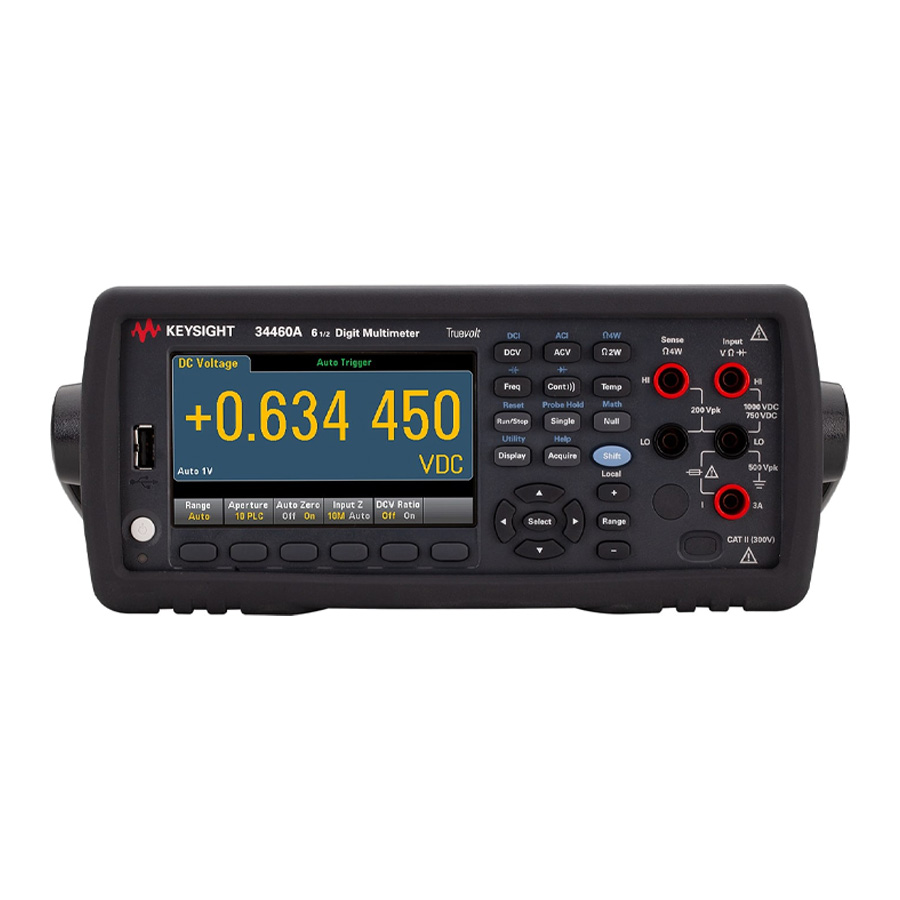
Why bench multimeters are widely used in technical environments
On a workbench, speed is not only about taking a reading quickly. It is also about switching between functions smoothly, viewing data clearly, and reducing setup time during troubleshooting or routine testing. A desktop unit supports this workflow well because it stays permanently available on the bench, with a larger display and a more structured user interface than compact field instruments.
Another key benefit is measurement consistency. In electronics labs and production support areas, users often need to compare values across multiple devices, run repeated checks, or monitor drift over time. Bench multimeters are therefore common in applications such as incoming inspection, repair, calibration support, educational labs, and automated test systems.
Typical functions you can expect from this category
Most instruments in this category are designed to cover the core electrical measurements needed in everyday bench work. These usually include DC and AC voltage, DC and AC current, resistance, continuity, diode test, frequency, and in many cases capacitance and temperature. Some models also support 2-wire and 4-wire resistance, which is especially useful when measuring low resistance more accurately.
Depending on the model, users may also benefit from data logging, internal memory, graphical displays, statistical visualization, or touchscreen operation. These features are useful when you need to track trends, compare samples, or export measurement data for reporting and traceability instead of relying only on a single live reading.
Examples of desktop multimeters in this range
For users looking at higher-resolution bench measurement, the KEYSIGHT portfolio includes models such as the 34465A and the DM34461A Truevolt series. These instruments are positioned for users who need 6½-digit capability, strong DC voltage performance, and interfaces that support bench use as well as system integration.
In the KEITHLEY range, the DMM6500 is a strong example of a modern bench instrument with a touchscreen-oriented workflow, while models such as the 2100/220 and 2110-220 cover practical general-purpose measurement needs. For users who prioritize standard bench functions with communication options, BKPRECISION models such as the 5493C and 5493CGPIB are also relevant examples in this category.
Some products listed here also include accessories and communication modules rather than complete meters. For example, the KEYSIGHT 3446GPBU GPIB interface module is an add-on for compatible instruments, while the KEITHLEY KTTI-RS232 accessory expands communication and digital I/O options. These items are important in a test setup because they help a bench meter fit into a broader automated or networked measurement environment.
How to choose the right model for your application
The first point to check is the level of accuracy and resolution you actually need. For routine electrical verification, a general-purpose 5½-digit model may be sufficient. For validation work, low-level signal measurement, or tighter tolerances, a 6½-digit instrument is often more appropriate, especially when the reading must support engineering analysis rather than only pass/fail checks.
Next, consider which functions are used most often. If your work focuses on power rails, current draw, and component checks, standard measurement functions may be enough. If you regularly evaluate sensors, low-ohm connections, or thermal behavior, then support for 4-wire resistance, temperature input, and logging becomes more valuable.
Connectivity is another major selection factor. USB and LAN are useful for modern bench environments, while RS-232 or GPIB may still matter in existing automated systems. If your setup includes remote control, data capture, or production test scripting, choosing a model with the right communication interface can save a great deal of integration effort later.
Bench use, logging, and automated test integration
A desktop multimeter often becomes part of a larger measurement workflow rather than operating as a standalone tool. In R&D and production support, users may log readings over time, transfer data to a PC, or connect the meter to a rack system for repeatable tests. This is where features such as internal memory, graphical trend views, LAN connectivity, and optional GPIB support become especially useful.
For example, the KEYSIGHT 34465A offers high reading speed and graphical display functions, while some BKPRECISION models provide multiple I/O options including USB, LAN, RS-232, and GPIB variants. If your requirement goes beyond manual measurement and moves toward structured test processes, it is worth reviewing not only the meter itself but also available modules and accessories that support system communication.
Desktop vs handheld multimeters
The choice between bench and portable formats depends mainly on where and how the meter will be used. A desktop model is better suited to fixed workstations, repetitive tests, and measurement tasks that benefit from higher visibility, better stability, and easier connection to other instruments. This is especially true in electronics assembly, troubleshooting benches, and engineering labs.
If your work is mostly on-site, mobile, or focused on field service, a handheld multimeter may be the more practical option. Many users also keep both types in their toolkit: a portable meter for field checks and a bench meter for deeper analysis, logging, and confirmation measurements.
What to consider before ordering
Before selecting a unit, it helps to define the real operating context: required measurement range, expected accuracy, frequency of use, and whether the meter will be used manually or inside a semi-automated setup. In many cases, the right choice is not simply the highest-specification instrument, but the one that matches the test method, interface needs, and workload of the team using it.
You may also want to think about accessories from the start. Communication modules, interface options, and bench measurement kits can affect how easily the instrument fits into your workflow. If you are comparing product formats across the same measurement family, it can also be helpful to review the broader multimeter range to see how desktop models differ from portable alternatives.
Conclusion
A well-chosen desktop multimeter can improve bench efficiency, support more reliable measurements, and make data handling easier in technical and industrial environments. Whether you need a straightforward bench DMM for daily service work or a higher-resolution instrument for lab measurement and automated testing, this category covers options suited to different levels of performance and integration.
By focusing on accuracy needs, measurement functions, and communication requirements, it becomes much easier to narrow down the right solution. If your work depends on stable bench measurements, clear data presentation, and room to grow into logging or automation, a desktop multimeter is a sensible long-term investment.
Get exclusive volume discounts, bulk pricing updates, and new product alerts delivered directly to your inbox.
By subscribing, you agree to our Terms of Service and Privacy Policy.
Direct access to our certified experts
