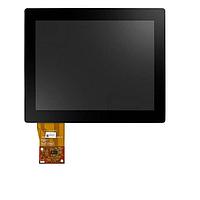
Display Modules
Clear visual interaction is a practical requirement in many embedded and industrial systems, whether the goal is to present machine status, guide operator input, or simplify local control. In this context, Display Modules support the interface layer between electronics, software, and the people who use the equipment every day.
For buyers, engineers, and system integrators, this category is typically less about a single screen and more about selecting the right display approach for the application. That may include a compact touch panel for equipment control, a programmable terminal for process interaction, or a handheld interface for service and maintenance tasks.
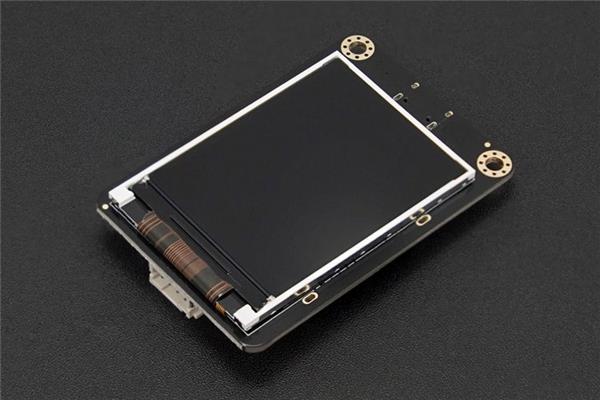
Where display modules fit in embedded and industrial systems
In embedded solutions, a display module often acts as the visible front end of a larger control architecture. It gives operators access to parameters, alarms, setpoints, and operating states while helping maintenance teams troubleshoot systems more efficiently. In industrial environments, this can reduce dependence on external PCs and make local interaction faster and more intuitive.
Many deployments also rely on the display as part of a wider communication and control chain. Depending on the system design, the interface may work alongside controllers, network devices, and communication modules to exchange data with machines, drives, sensors, or supervisory platforms.
Typical product types in this category
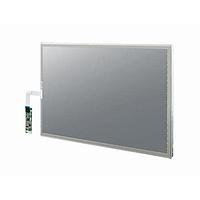
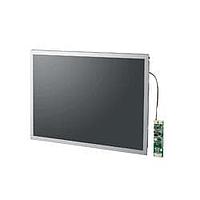
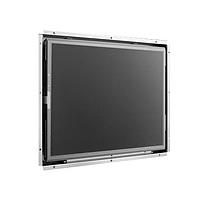
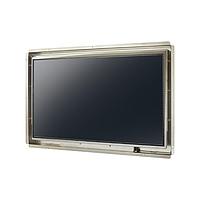
This category can cover several interface formats rather than one fixed hardware style. Touch panel display monitors are commonly chosen when a visual dashboard and direct user interaction are both required. They are suitable for machine control panels, packaging equipment, test stations, and small production cells where operators need a compact graphical interface.
Programmable terminals are another important group, especially where the interface must be configured around specific machine logic or operator workflows. Models such as the OMRON NA5-15W101S-V1, OMRON NA5-12W101B-V1, and OMRON NV4W-MG21 illustrate the range from touch-based monitoring to operator-oriented terminal functions. For more specialized access, the OMRON NSH5-SQR10B-V2 hand-held terminal shows how some display devices are designed for mobility during setup, diagnostics, or maintenance.
OMRON examples for HMI-oriented applications
Several representative products in this category come from OMRON, including the NA5 series touch panel display monitors and NS series programmable terminals. These examples are useful for understanding the application scope of display modules in industrial automation, especially where visualization and operator control are closely linked.
The OMRON NA5-7W001S-V1, OMRON NA5-12W101S-V1, and OMRON NA5-15W101B-V1 reflect different screen-size options for machine interfaces, while products such as the OMRON NS5-TQ10B-V2 and OMRON NS10-TV00B-V2 highlight the role of programmable operator terminals. Rather than treating all displays as interchangeable, it is usually better to match the device format to the required user interaction, screen area, installation space, and workflow complexity.
How to choose the right display module
The best starting point is the intended user experience. If operators mainly need visual status, alarm acknowledgment, and a few control points, a simpler touch display may be enough. If the application requires more structured navigation, recipe handling, parameter management, or workflow-driven interaction, a programmable terminal may be more appropriate.
It is also important to consider the operating environment and system architecture. Screen size, panel mounting constraints, touch interaction, portability, and compatibility with the control platform all influence selection. In many projects, display hardware should also be evaluated together with the required software tools, since configuration, visualization design, and maintenance workflows can affect commissioning time as much as the hardware itself.
Integration considerations for embedded projects
Display modules are rarely isolated components. They usually sit inside a broader embedded or automation ecosystem that includes processors, I/O, communications, and data handling. For that reason, buyers should think beyond the screen itself and review how the display will exchange information with the rest of the system, how updates will be managed, and how the interface will support long-term maintainability.
In some designs, especially where sensor signals or analog measurements are part of the user interface, display selection may overlap with adjacent technologies such as data conversion modules. This is particularly relevant when the displayed values depend on accurate acquisition, processing, and presentation in real time.
Applications that benefit from a dedicated operator display
Dedicated display hardware is widely used where local visibility matters. Typical examples include machine panels, utility equipment, process skids, assembly cells, laboratory instruments, and field service tools. A built-in interface can improve usability by presenting only the functions and data that matter for the operator’s role, rather than exposing a full engineering environment.
Handheld and panel-mounted formats serve different operational needs. A fixed panel is often preferred for routine operation, while portable terminals can help during commissioning or service work. This distinction is one reason why categories like display modules remain important in embedded systems, even when remote monitoring is available elsewhere in the architecture.
What to review before ordering
Before shortlisting a unit, it helps to confirm the core functional requirements: display format, interaction style, installation method, and the level of configurability needed for the interface. For industrial deployments, buyers should also align the display choice with the controller platform, communication method, and expected lifecycle support.
When comparing options, use product examples as references for format and application fit rather than assuming every device serves the same role. A large touch monitor such as the OMRON NA5-15W101S-V1 may suit a richer visualization environment, while a compact unit such as the OMRON NT11-SF121B-EV1 may be more appropriate where space and interface scope are limited. Reviewing the use case first usually leads to a better choice than focusing only on model naming or product family.
Closing perspective
Choosing a display interface is ultimately about making embedded and industrial equipment easier to operate, monitor, and maintain. A well-matched module supports better visibility at the machine level and helps connect the technical system to practical day-to-day use.
Within this category, the available range covers touch displays, programmable terminals, and specialized operator interfaces for different project needs. By evaluating interaction requirements, integration needs, and the broader system environment, buyers can narrow down the right display module with more confidence and less trial and error.
Get exclusive volume discounts, bulk pricing updates, and new product alerts delivered directly to your inbox.
By subscribing, you agree to our Terms of Service and Privacy Policy.
Direct access to our certified experts