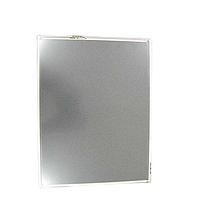
LCD Touch Panels
Fast, clear operator interaction is essential when machines need to display status, accept commands, and support quick adjustments on the shop floor. In many automation environments, LCD Touch Panels sit at the center of that interaction by combining visual process data with direct touch control in a compact HMI format.
Whether the requirement is a small monochrome panel for straightforward machine control or a larger screen for more detailed visualization, this category helps buyers compare HMI display options used in industrial automation. The range includes compact operator interfaces, larger touch-enabled displays, and panel solutions suited to control cabinets, production equipment, and integrated machine systems.
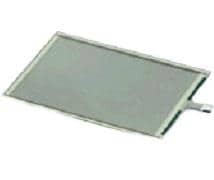
Where LCD touch panels fit in industrial automation
An LCD touch panel is typically used as the operator interface between people and machines. It allows users to monitor process values, view alarms, change parameters, and navigate screens without relying only on hardwired pushbuttons or indicator lamps. This makes it easier to centralize control and improve visibility in automated systems.
These panels are commonly installed on packaging machines, assembly equipment, process skids, and OEM control systems. In practice, they are selected not only for screen size, but also for communication method, operating voltage, panel style, and the level of interaction needed at the machine. For applications that require related interface hardware, it can also be useful to review display switches or supporting input devices depending on the control concept.
Typical panel formats in this category
This category includes several practical formats used across industrial HMI projects. Compact models are often chosen for machines where space is limited and the operator only needs essential screens for start, stop, status, alarm acknowledgment, or recipe selection. Larger panels are generally better suited to systems where more process data, trends, or multi-screen navigation must be shown at once.
The listed range also reflects different touch technologies and interface approaches. For example, resistive touch designs remain common in industrial settings because they are well suited to controlled environments and straightforward operator input. Buyers comparing panel options should think in terms of application fit rather than screen size alone.
Examples from leading industrial brands
Several recognized automation suppliers are represented in this range. Panels from Panasonic Industrial Automation include compact GT02, GT05, and GT12 touch panel variants such as AIG02GQ13D, AIG05GQ05D, and AIG12GQ03D, which are relevant for machine builders looking for smaller-format HMI solutions with common industrial communication options.
For larger HMI requirements, the SIEMENS 6AG11240UC024AX1 SIPLUS HMI TP1900 Comfort and Omron Automation and Safety NA5 series models such as NA5-12W101B-V1 and NA5-9W001B-V1 illustrate another end of the category. These products show how LCD touch panels can scale from compact machine terminals to broader visualization interfaces. The category also includes touch-enabled components from Advantech, such as 10.4-inch resistive panel options used in embedded and industrial display applications.
Key selection points before you buy
The right choice usually starts with the operating environment and the role the panel will play. A simple machine HMI may only need a compact monochrome display with basic touch navigation, while a more advanced station may require a larger screen for multiple process pages, alarms, and user-level interaction. If the system must store data or support additional functions, details such as memory support and interface type may also matter.
Communication compatibility is another important factor. In this category, some models reference interfaces such as RS232C or RS422, which can be relevant when integrating with controllers and legacy machine hardware. Supply requirements also need to match the machine design, and several listed products are built for 24 VDC operation, a common standard in industrial control panels.
Physical size should be considered together with mounting space, readability, and the amount of information shown on screen. A panel that is too small can limit usability, while an oversized unit may add cost or complicate enclosure design. When a project also requires mounting parts, cables, or related hardware, the HMI accessories category may help complete the installation.
How these panels support machine usability
A well-matched touch panel improves more than appearance. It can reduce wiring complexity, simplify operator training, and make troubleshooting faster by presenting machine states and messages in one place. Instead of scattering controls across multiple devices, the HMI can guide the user through menus, prompts, and diagnostics in a structured way.
This is especially useful in systems that need repeatable operation across shifts or across multiple installed machines. A clear touchscreen interface can support recipe handling, maintenance access, and fault review while helping standardize the operator experience. In many installations, LCD touch panels work alongside PLCs, sensors, drives, and auxiliary HMI components to create a more coherent control architecture.
Comparing compact and large-screen HMI options
Compact panels such as Panasonic GT02 or GT05 variants are often suitable when the interface needs to stay simple and panel space is limited. They can be a practical fit for standalone machines, smaller OEM equipment, or applications where operators only need a focused set of commands and status views.
Larger units such as the Omron NA5 series or the SIEMENS TP1900 Comfort are more relevant where the interface must present richer process information or support more advanced interaction. The right balance depends on how many screens are needed, how often operators interact with the system, and whether the HMI acts as a basic terminal or a broader visualization layer.
Choosing with long-term system integration in mind
For B2B buyers, panel selection is rarely only about the screen itself. It should also align with the wider automation platform, expected lifecycle, maintenance approach, and replacement strategy. Choosing from established industrial manufacturers such as Omron Automation and Safety or SIEMENS may help when standardization across machines or sites is a purchasing priority.
If the requirement is more display-focused than full HMI control, buyers may also want to compare nearby categories such as LCD display solutions or other interface components within the HMI ecosystem. Reviewing the application in terms of usability, communication, available panel space, and future support will usually lead to a better fit than comparing model names alone.
Final thoughts
LCD touch panels play a practical role in modern industrial interfaces by bringing machine status, control, and operator interaction into one accessible display. From compact Panasonic models to larger Omron, SIEMENS, and Advantech options, this category supports a wide range of automation requirements across OEM, panel-building, and factory environments.
If you are selecting an HMI for a new machine or replacing an existing panel, start with the real operating need: screen size, interface method, power requirements, and the level of operator interaction required. A panel chosen with those factors in mind will be easier to integrate, easier to use, and more appropriate for the application over time.
Get exclusive volume discounts, bulk pricing updates, and new product alerts delivered directly to your inbox.
By subscribing, you agree to our Terms of Service and Privacy Policy.
Direct access to our certified experts