
Đăng ký nhận chiết khấu độc quyền, cập nhật giá sỉ và tin sản phẩm mới nhất ngay tại hộp thư của bạn.
Bằng cách đăng ký, bạn đồng ý với Điều khoản dịch vụ và Chính sách bảo mật của chúng tôi.
Kết nối trực tiếp với đội ngũ chuyên gia của chúng tôi
Đăng ký nhận chiết khấu độc quyền, cập nhật giá sỉ và tin sản phẩm mới nhất ngay tại hộp thư của bạn.
Bằng cách đăng ký, bạn đồng ý với Điều khoản dịch vụ và Chính sách bảo mật của chúng tôi.
Kết nối trực tiếp với đội ngũ chuyên gia của chúng tôi

Features:
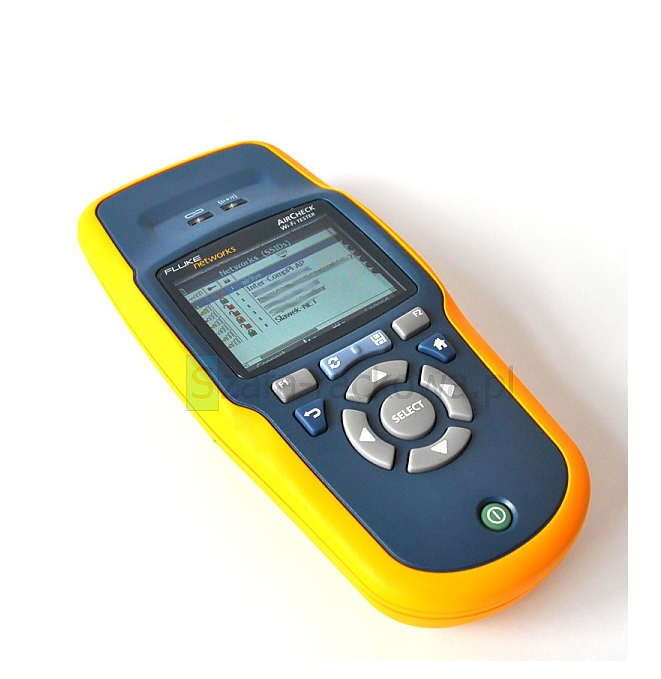
Aircheck Includes:
Instant-on operation – Powers up in less than three seconds and automatically starts discovering networks, access points (APs), and channel activity.
Get answers fast – The one-button AutoTest quickly provides a pass/fail indication of the wireless environment and identifies common problems - for any level of Wi-Fi technicians expertise.
Identifies security settings for each Network and Access Point: Open, WEP, WPA, WPA2, and/or 802.1x.
Pinpoints Wi-Fi traffic and interference – Shows how much of each channels bandwidth is consumed by 802.11 traffic and interference, and the APs using each channel.
Finds rogue APs – Flags unauthorized APs and clients. Helps you hunt them down with the LOCATE function or find them even faster with the optional directional antenna.
Supports 802.11a/b/g/n All in one handheld tool.
Performs three essential Wi-Fi tests and a pass/fail indication of the wireless environment and identifies common problems - for any level of technicians expertise.
AutoTests are user configurable and based on the multiple profiles which can be stored in AirCheck and selected for different sites or requirements. Results may also be stored for export to AirCheck Manager.

AirCheck finds configuration and coverage problems as well as rogue APs. View a list of all physical APs heard by AirCheck or clients connected to a specific AP, and the following information:
Find security issues, rogue APs and coverage problems and view a list of all wireless networks heard by AirCheck. Instantly see the following for each network:
Quickly identify rogue APs by setting the authorization status for each AP in AirCheck or AirCheck Manager software. Once set, this allows you to instantly verify authorized devices and determine if rogue devices are present on your network.
You may define an APs authorization status two ways: from AirCheck Wi-Fi Tester or the AirCheck Manager software.

Quickly track down rogue (unauthorized) and other APs or clients by graphing the signal strength over time, or by using an audible indication which can be muted.
Quickly identify AP configuration problems. View the following information for each physical AP:

View the process steps on the display and store them in a log for troubleshooting. Quickly test performance and quality of the connection by using the continuous ping response, loss-rate, and connection-range features.

Quickly determine if channels are overloaded due to Wi-Fi traffic (displayed in blue) or interference (displayed in gray). Verify channel-usage pattern or overlap and flag illegal use of channels.
With AirCheck, you can also detect the presence of interference. Devices that can cause interference include microwave ovens, cordless phones and headsets, BlueTooth® devices, and analog video cameras.
Channel Usage Details

Find overloaded channels and interference. Drill in further to see the level of Wi-Fi traffic and interference over the last 60 seconds on a selected channel, as well as the access points using this channel.

AirCheck Manager software is included with AirCheck and provides two capabilities: the ability to manage AirCheck profiles and manage sessions recorded with AirCheck.
Profiles
Easily configure, manage, and control the use of your AirCheck – or an entire fleet of them – with the Profiles feature, which includes the following settings:
Name and transfer multiple profiles into AirCheck, as needed for different facilities. You can also transfer profiles from AirCheck to AirCheck Manager software.
For enhanced security, profiles are password protected and settings are encrypted, both in AirCheck and AirCheck Manager software. This eliminates worry about unauthorized access to your network if your AirCheck tester is lost or stolen.
Record Session
Document what AirCheck is seeing to share or archive. Create summary or detailed reports allowing you to quickly close a trouble ticket or provide documentation for problem escalation. Press one key to record all collected details for:
Transfer sessions to a PC and easily view/store them using AirCheck Manager software.
AirCheck fully supports multiple languages including English, French, German, Spanish, Portuguese, Russian, Japanese, Simplified Chinese, and Korean. Multi-language support includes AirCheck user interface, getting started guide, user manual and supporting AirCheck Manager software, help files and user reports.