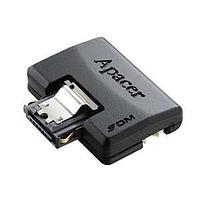
Storage Drive
Choosing the right storage device affects far more than raw capacity. In industrial systems, embedded platforms, service laptops, and data-handling equipment, storage must support reliability, boot performance, data integrity, and long-term maintainability. This is why Storage Drive selection often depends on the broader operating environment, not just on a simple GB or TB figure.
This category brings together storage options used across computing and electronics applications, from everyday removable media to solid-state solutions designed for faster access and reduced mechanical wear. Whether you are building an embedded platform, upgrading an existing system, or sourcing components for ongoing B2B operations, understanding the role of each drive type helps narrow down the most suitable choice.
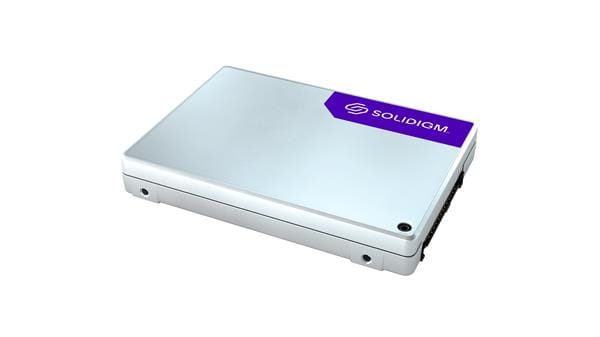
Where storage drives fit in modern systems
Storage sits at the center of system usability. It determines how operating systems load, how applications respond, and how logs, recipes, configuration files, and production data are retained over time. In office IT, that may mean faster startup and smoother application access; in industrial and embedded environments, it can also mean better resistance to shock, vibration, and repeated duty cycles.
Within a broader electronics ecosystem, storage devices are often selected alongside embedded computers, controller hardware, and memory-related components. The best choice depends on interface compatibility, physical installation space, write workload, and service strategy across the lifecycle of the equipment.
Key storage types in this category
This category covers several common storage formats. Solid-state drives are widely chosen when speed, low latency, and the absence of moving parts are important. HDD-based options remain relevant where cost-per-capacity matters, while USB flash drives support portability, quick file transfer, and field updates. Optical drives can still be useful in legacy workflows or systems that require media-based installation and archiving.
For many current applications, SSDs have become the preferred direction because they reduce boot times and improve responsiveness. If your project also involves removable storage or compact media formats, related options in memory cards and complementary accessories may also be relevant depending on the device architecture.
Why SSDs are often prioritized
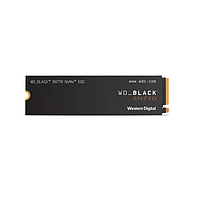
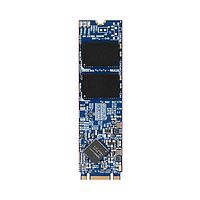
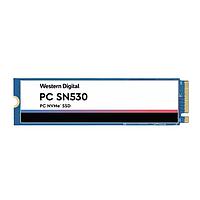
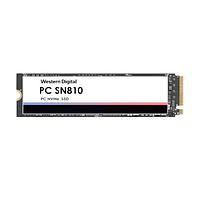
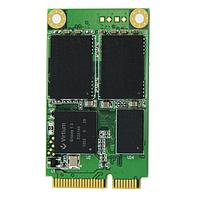
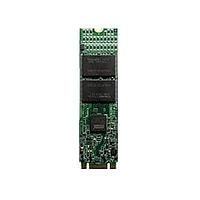
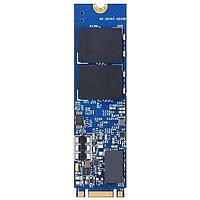
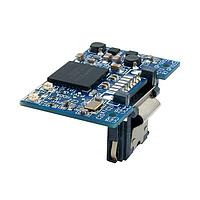
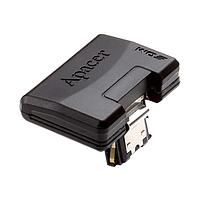
For industrial and commercial deployments, SSDs are frequently selected because they offer faster read and write behavior than mechanical drives and are generally better suited to environments where vibration or frequent movement is a concern. They are also available in multiple form factors, making them practical for compact systems, panel PCs, and embedded computing platforms.
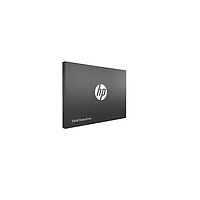
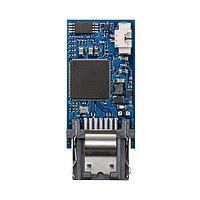
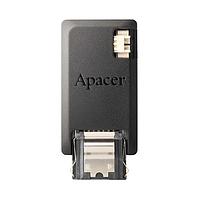
Examples in this category illustrate that range clearly. The Kingston SA400S37 SSD is a 2.5-inch SATA III model with 480 GB capacity and sequential read and write performance listed up to 500 MB/s and 450 MB/s respectively, making it a familiar option for standard SATA-based upgrades. For more application-specific requirements, models from Advantech, such as the SQF-S25M8-128G-VAC, SQF-SMSM2-64G-SBE, SQF-C8BV4-1TDEDC, or SQF-UPDM2-64G-U7C, show how SSD storage can be aligned with embedded and industrial hardware needs.
Representative manufacturers and product examples
Several established suppliers appear in this category, each relevant to different use cases. Kingston is a recognizable choice for mainstream storage upgrades and portable media, while Micron is commonly associated with high-performance memory and storage technology. PHOENIX CONTACT and Advantech add context for buyers sourcing storage in automation, industrial computing, and control-oriented environments.
Illustrative products include the Micron MTFDKBK1T0QGN-1BN1AABYY and Micron MTFDHAL12T8TDR1AT1ZABYY SSDs, as well as PHOENIX CONTACT 2701012. The category also includes portable media such as the Kingston DTX/64GB USB Flash Drive, which serves a different role from fixed internal storage. In practice, these products are not interchangeable by default; they support different installation methods, workloads, and maintenance scenarios.
How to choose the right storage drive
A good selection process usually starts with four questions: what interface does the host system support, what form factor fits the installation, how intensive is the read/write workload, and what level of field serviceability is required. A 2.5-inch SATA drive may be ideal for replacing an older boot drive, while compact SSD modules can make more sense in tightly integrated embedded systems.
It is also useful to consider whether the storage will act as a system drive, a data buffer, a removable transfer medium, or a long-term application repository. Buyers comparing options across storage and related components may also want to review memory accessories when installation, adapters, or supporting hardware are part of the project scope.
- Interface compatibility: confirm SATA or other required connection standards supported by the host device.
- Physical format: check available mounting space and drive thickness or module type.
- Capacity planning: size the drive for OS, software, logs, and future data growth.
- Operating environment: consider vibration, temperature, and expected service life.
- Usage pattern: distinguish between frequent writes, mostly read-heavy use, and portable transfer tasks.
Storage drives in embedded and industrial workflows
Unlike consumer-only scenarios, B2B and industrial applications often require more deliberate planning around downtime and replacement cycles. A storage upgrade may be part of a broader machine retrofit, IPC deployment, HMI refresh, or edge-computing rollout. In those cases, the drive is one component in a system that must remain stable under continuous operation.
That is why buyers often standardize around a limited set of approved devices rather than selecting solely on headline performance. Models from Advantech, Micron, Kingston, and PHOENIX CONTACT can support different procurement strategies, from embedded system integration to maintenance stock for installed equipment. The most suitable option is usually the one that balances compatibility, expected workload, and practical service requirements.
Practical buying considerations for B2B sourcing
For engineering teams, maintenance departments, and procurement professionals, consistency matters as much as performance. It is often helpful to align storage selection with existing platform standards, validated interfaces, and available spare-part processes. This reduces integration effort and makes future replacement easier, especially when multiple sites or repeated machine builds are involved.
When evaluating products in this category, focus on whether the drive matches the actual system role. A USB flash drive can be convenient for transfer and installation tasks, but it serves a different purpose from an internal SSD. Likewise, a high-capacity industrial SSD may be more appropriate for always-on equipment than a general upgrade drive, depending on the application context.
Find the storage option that matches your system
The right storage choice depends on how your equipment operates day to day: how it boots, how data is written, how often devices are serviced, and how much physical space is available. Looking at storage in that broader system context makes it easier to compare SSDs, HDD-related options, removable media, and supporting formats without overengineering the solution.
As you browse this category, use interface, form factor, and application role as your main filters. That approach will help you identify a storage drive that fits your platform more accurately, whether you need a straightforward SATA SSD, an embedded-focused model, or portable media for deployment and maintenance workflows.
Get exclusive volume discounts, bulk pricing updates, and new product alerts delivered directly to your inbox.
By subscribing, you agree to our Terms of Service and Privacy Policy.
Direct access to our certified experts