Normally, when you first buy an electronic thermometer, they are usually pre-installed in Celsius mode. However, for some reason, your device may have switched to Fahrenheit mode. No No need to worry, because this can be completely fixed. Below, I will guide you how to convert from Fahrenheit to Celsius in a detailed and easy-to-understand way.
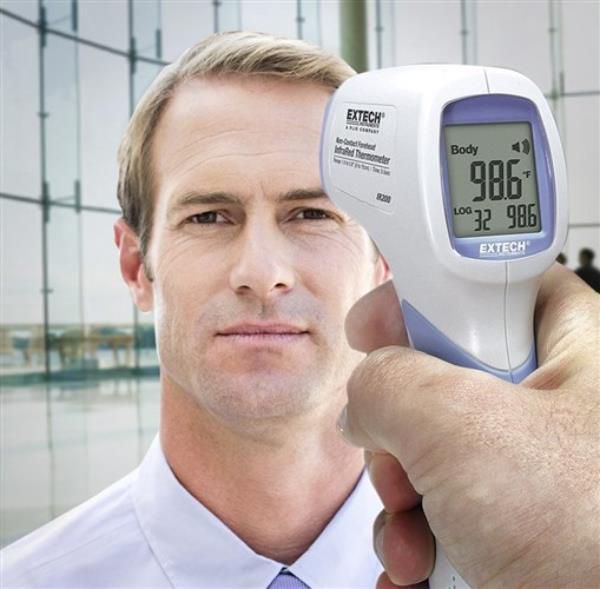
Formula to convert degrees Celsius to Fahrenheit
First, to understand how to convert degrees Celsius to degrees Fahrenheit and vice versa, let's learn the conversion formula. The formula to convert from degrees Fahrenheit to degrees Celsius is:
C = (oF – 32)/1.8.
When you want to convert from Fahrenheit to Celsius, you just need to substitute the Fahrenheit value into the above formula and calculate. For example, to convert 37 degrees Fahrenheit to Celsius, you would calculate as follows:
37 degrees F = (37 – 32)/1.8 = 2.78 degrees C.
Conversely, if you want to convert from Celsius to Fahrenheit, the formula will be:
oF = (oC x 1.8) + 32
For example, to know how many degrees Fahrenheit is 37 degrees Celsius, do the following:
37 degrees Celsius=(37×1.8)+32=98.6 degrees Fahrenheit
With just these two simple formulas, you can easily convert between two temperature measurement units quickly and accurately.
Full steps to adjust temperature from F to C
On the market today, there are many types of electronic thermometers from brands such as OMRON, Microlife, LaiCa, Polygreen, Beurer,... Each brand will have different usage, but the conversion process between degrees Celsius and Fahrenheit usually has the following basic steps:
1. Turn off the device: Make sure the device is completely turned off.
2. Press and hold the start button: When the machine is off, press and hold the start button (or START/MODE button) for about 3-5 seconds. The screen will display degrees Celsius and Fahrenheit, displaying the current unit of measurement.
3. Select the desired unit of measurement: Use the adjustment button to select the unit of measurement (Celsius or Fahrenheit) you want to display.
4. Confirm new measurement unit: Press the start button again to save and switch measurement mode.
5. Wait for the device to be ready: After installation, wait about 3-5 seconds for the device to automatically switch to ready measurement mode.
How to adjust Omron TH-839S infrared ear thermometer
1. Press and hold the measurement key: Switch the thermometer to off mode by pressing and holding the measurement key.
2. Hold the power key: After the device turns off, hold the power key (power off), then press the “ON/MEM” key.
3. Convert measurement units: After completing the above two steps, continue to hold down the measurement key for a few seconds when the machine turns on. The °C symbol will change to °F or vice versa.
How to adjust Omron MC-720 infrared forehead thermometer
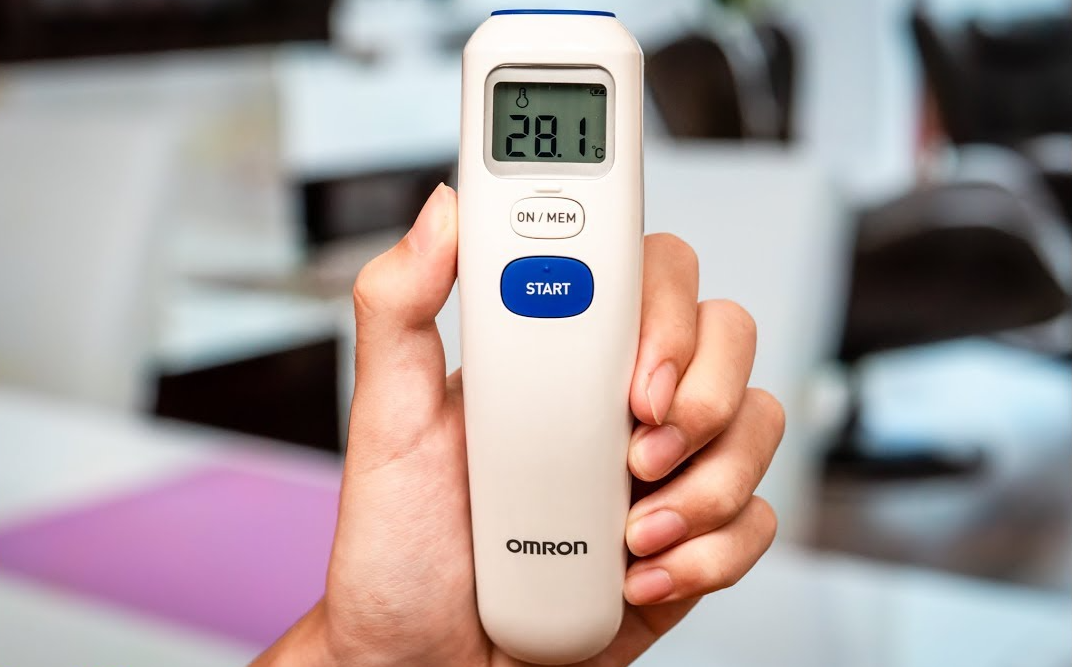
To adjust the Omron MC-720 infrared forehead thermometer, do the following:
1. Press and hold the START key.
2. Press and hold the ON/MEM key: Simultaneously press and hold the ON/MEM key until °C is displayed on the screen with two beeps.
Conclude
Hopefully, with the above information and detailed instructions, you can easily adjust the thermometer from degrees Fahrenheit to degrees Celsius. Refer to the product at: Infrared temperature meter