Communication interfaces determine how test instruments connect to computers, industrial PCs, networks, and other equipment. The right choice depends on more than connector availability. Engineers should also consider communication range, required transfer rate, the number of connected instruments, existing computer hardware, and whether wired or wireless control is preferable.
This guide compares five common instrument communication interfaces: RS232, GPIB, LAN, USB, and Wi-Fi. Each option addresses a different combination of connection simplicity, network structure, and equipment-control requirements.
Why the communication interface matters
Laboratories and production environments may need anything from a direct connection between one computer and one instrument to a small automated test system containing several devices. Some applications primarily send control commands, while others benefit from faster communication or flexible networking.
Before selecting an interface, identify the intended system layout. Determine whether one host will control one instrument, whether several instruments must operate on the same bus or network, and whether operators need to access equipment without being physically beside it. These questions help narrow the available choices.
RS232 for simple point-to-point connections
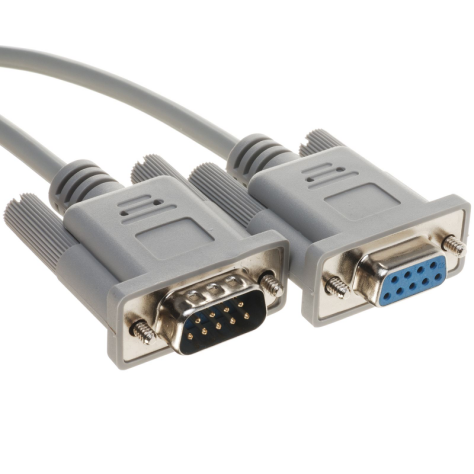
RS232 is a straightforward serial communication option. Depending on the requirements of the equipment, it can use a standard straight-through or null serial cable. Cable cost is low, and the interface can be practical when the application involves one host and one instrument.
The main limitations are relatively slow transmission and poor suitability for long-distance communication. RS232 has also become less common on consumer computers, although it remains present on industrial computers and some communication equipment. Users should therefore confirm that the controlling computer has a compatible port before choosing this method.
RS232 is a suitable starting point when high communication rates and long cable distances are not required. Its simple connection arrangement can help a user begin instrument control and measurement without first building a larger network.
GPIB for small automated test systems
GPIB uses a bus structure that can connect multiple instruments as part of an automated test system. It is commonly used to transmit control commands and can fit a small electrical laboratory or production setup involving several compatible devices.
For example, a system may need to connect a calibration source, signal generator, and other instruments at the same time. If all devices provide GPIB connectivity, the interface can be used to form a small instrument network.
Computer compatibility requires attention. Ordinary PCs and industrial PCs do not commonly include GPIB as a standard interface. A dedicated control card and the appropriate drivers may therefore be required before communication can begin. This additional setup should be considered when evaluating existing laboratory hardware.
LAN for flexible instrument networking
LAN, commonly associated with Ethernet networking, is embedded in many types of equipment. It supports flexible network structures, communication with multiple devices, and high-speed operation. Routers and switches can be added when the system must extend beyond a basic direct connection.
For short-range use, an instrument can be connected by twisted-pair cable directly to an industrial PC or laptop. For a broader system, a switch can allow one host to control multiple instruments. This flexibility makes LAN a practical choice for instrument integration and centralized control.
LAN is particularly relevant when the installation may grow from a direct instrument connection into a multi-device network. Engineers should plan the network arrangement around the number of instruments and the location of the controlling computer.
USB for connection, communication, and power
USB is widely used between computers and devices. Depending on the equipment and protocol, it can provide connection, communication, power, or mass-storage functions. The source material identifies USB 1.0, USB 2.0, and USB 3.0 as principal variants.
Connector type also matters. Compact mobile devices may use smaller connector formats, while standard Type-A and Type-B plugs and sockets are common on instruments. A physical USB connector alone does not define how a device will communicate, so users should verify whether the intended function is computer communication, storage access, or another supported mode.
USB is most relevant when an instrument will be placed near a computer and the equipment supports the required USB function. It offers a familiar physical connection without requiring a wider network infrastructure.
Wi-Fi for wireless access and control
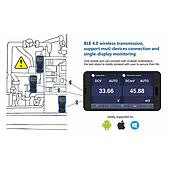
Wi-Fi removes the need for a physical communication cable between the instrument and controlling device. Instruments with an integrated 802.11 wireless interface may connect through a wireless router or a smartphone hotspot. Some equipment can also operate as an access point, allowing a controlling device to connect directly without relying on an external Wi-Fi network.
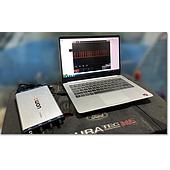
The OWON XDS series oscilloscope is available with Wi-Fi communication as an option. It supports Wi-Fi AP and Wi-Fi STA modes. Through an application or software, these interfaces can support real-time control and waveform display. OWON management software can also be used to organize device control, reducing the need to visit each instrument solely to check it.
Wi-Fi is useful when cable-free access is an important part of the working arrangement. Selection should still be based on whether the specific instrument includes the wireless option and supports the required operating mode.
How to select the appropriate interface
Choose RS232 for a basic single-instrument setup
Consider RS232 when one host controls one instrument, communication demand is modest, and long-distance operation is unnecessary. Confirm port availability on the computer and select the cable type required by the equipment.
Choose GPIB for compatible multi-instrument systems
GPIB is appropriate when several laboratory or production instruments provide this interface and need to exchange control commands within a small automated system. Account for the possible need for a dedicated computer card and drivers.
Choose LAN when network flexibility is a priority
LAN supports both direct connections and systems containing multiple instruments. A laptop or industrial PC can connect directly for a simple arrangement, while switches and routers can support a larger network structure.
Choose USB for nearby computer connectivity
USB fits equipment located close to a computer when the supported USB protocol matches the intended task. Check the USB version, connector format, and whether the instrument uses the connection for communication, storage, power, or a combination of functions.
Choose Wi-Fi when a cable-free connection is needed
Wi-Fi can connect an instrument through a router, smartphone hotspot, or supported access-point mode. It is a relevant option for remote viewing and control within the instrument’s supported wireless configuration.
Final selection checklist
- Identify whether the system requires one instrument or multiple instruments.
- Confirm the communication rate and connection range needed by the application.
- Check which interfaces are available on both the instrument and controlling computer.
- Determine whether extra hardware, such as a GPIB control card or LAN switch, is necessary.
- Verify the required cable, connector type, drivers, protocol, or wireless mode.
- Choose between a direct connection and a networked control arrangement.
No single interface is ideal for every test environment. RS232 emphasizes simplicity, GPIB supports small instrument buses, LAN provides flexible networking, USB offers familiar local connectivity, and Wi-Fi enables wireless control. Matching these characteristics to the planned system architecture is the clearest way to select an appropriate instrument communication interface.