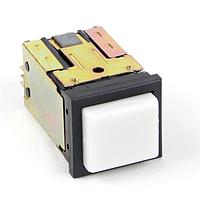
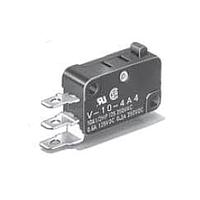
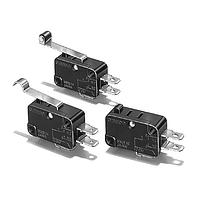
Switches
From compact user-interface buttons to RF signal routing components, switches are fundamental to how electronic and electrical systems operate. In industrial equipment, embedded electronics, test setups, and control panels, the right switching device helps manage power, route signals, detect position, and provide reliable operator input.
This Switches category brings together a broad range of solutions for different circuit, control, and interface needs. Whether you are selecting a tactile part for an HMI board, a slide mechanism for compact mode selection, or an RF device for high-frequency paths, it is useful to compare the switching principle, operating environment, mounting approach, and expected service life before choosing.
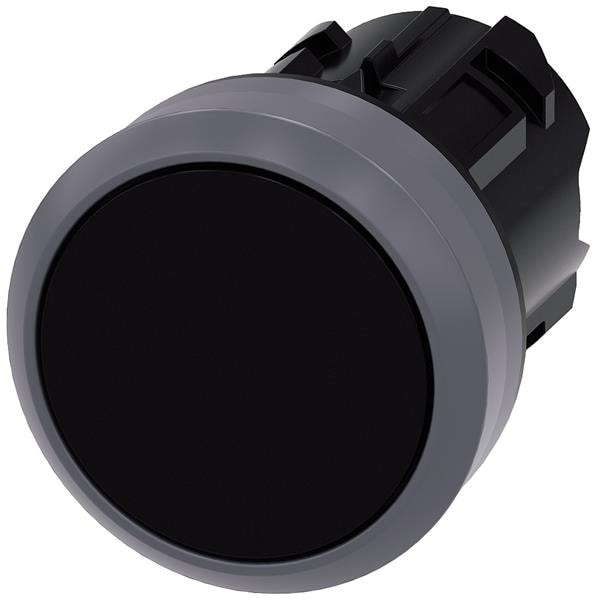
Where switches fit in modern electronic and industrial systems
A switch is more than a simple on/off component. Depending on the application, it may be used to initiate user commands, change operating states, isolate a path, or detect mechanical movement inside a device. In many designs, the switch is the direct interface between the operator and the machine, so feel, repeatability, and electrical behavior all matter.
In broader control architectures, switches often work alongside components such as relays and other control devices. The difference is that many switches are intended for direct manual actuation, positional sensing, or signal-path selection, while relay-based solutions are often used for electrically controlled switching in automation and power distribution systems.
Main application groups within the category
This category covers a wide spectrum of switching technologies, and each serves a distinct purpose. User-input devices are common in consumer electronics, industrial panels, handheld instruments, and embedded products. These include compact interface components used for menu navigation, mode selection, reset functions, and local control.
There are also switches intended for more specialized tasks, such as signal routing in RF designs or contact-based detection in electromechanical assemblies. When browsing a large switch portfolio, it helps to think in terms of function first: operator input, position detection, electrical isolation, or frequency-path selection. That approach usually narrows the options faster than filtering only by package style.
Examples from leading manufacturers
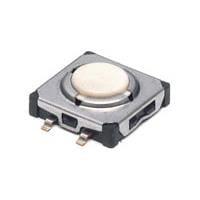
For interface-oriented designs, Alps Alpine is a familiar name across tactile, slide, and detector switch formats. Parts such as the Alps Alpine SKELALA010 Tactile Switch, SKQJAE Tactile Switch, and SKPGAC Tactile Switch illustrate the kind of compact, board-level devices often used in control panels, portable electronics, and embedded assemblies where space, actuation feel, and repeatable input are important.
Slide selections are also well represented by products such as the Alps Alpine SSAJ120100-BLK Slide Switch and SSSS211502 Slide Switch. For position or state sensing inside a mechanism, the Alps Alpine SPVQ811000 Detector Switch is a useful example of a component whose role is not direct user command, but mechanical detection within the system.
For high-frequency applications, Analog Devices appears in this category with RF-focused options such as the HMC194AMS8 RF Switches, HMC347G8TR RF Switches, and HMC252QS24ETR RF Switch SP6T. These products are relevant when designers need to control signal paths in communication, test, or RF front-end circuits rather than switching power to a load.
How to choose the right switch for your design
The first selection step is to define the switching task. A user-interface button, a slide selector, a detector switch, and an RF switch may all share the same category name, but they solve very different engineering problems. Start by identifying whether the device will switch power, logic-level signals, RF signals, or simply provide status feedback from a moving part.
Next, review the mechanical and electrical conditions. Important factors usually include circuit form, actuation method, rated voltage or current where applicable, expected operating cycles, mounting style, and available board or panel space. In compact electronics, dimensions and tactile response may dominate the decision. In high-frequency designs, impedance, isolation, insertion loss, and frequency range become much more important.
Environmental conditions should also be considered early in the process. Temperature range, vibration, dust exposure, and operator usage patterns can all affect switch choice. For example, a small tactile component may be ideal for dense PCB layouts, while a more robust control device may be better suited to demanding industrial use or repeated manual operation.
Mechanical switches and RF switches serve different design goals
One of the most important distinctions in this category is the difference between mechanical switching and RF switching. Mechanical parts such as tactile, slide, or detector switches physically change contact states in response to user or machine movement. They are common in local controls, embedded interfaces, and electromechanical assemblies.
RF switches, by contrast, are used to direct high-frequency signals between different paths with controlled electrical performance. Devices like the Analog Devices HMC252QS24ETR RF Switch SP6T or HMC347G8TR RF Switches are selected not for button feel or lever travel, but for how they handle signal integrity across a given frequency range. If your application involves communications hardware, measurement systems, or RF modules, this is a very different decision process from selecting a panel or PCB input switch.
Integration with broader control and actuation systems
In real-world systems, switches are rarely selected in isolation. They are typically part of a larger control chain that may include sensors, actuators, interface boards, and electromechanical outputs. For machine builders and panel designers, it can be useful to compare switch-based control points with related products such as electromechanical contactors or solenoids and actuators, depending on whether the requirement is manual input, electrical switching of a load, or mechanical movement.
This broader view helps avoid specification mismatches. A switch may be ideal as a command or sensing element, while a relay, contactor, or actuator handles the output side of the system. Matching each device to its role improves reliability and makes troubleshooting easier over the life of the equipment.
What buyers and engineers usually compare on a category page
Procurement teams and design engineers often approach a switch category with slightly different priorities. Engineers usually focus on function, interface requirements, electrical behavior, and fit within the circuit or enclosure. Buyers may also look at standardization across projects, approved manufacturers, and availability of alternatives within the same switching family.
That is why a well-structured category matters. It should help you move from broad application needs to practical product filtering without forcing a one-size-fits-all choice. If you already know the switching type you need, narrowing by product family is often the fastest route. If not, begin with the application: user input, detection, control, or RF path selection.
Final considerations before ordering
Choosing a switch is often about balancing electrical performance, mechanical design, and long-term usability. Compact tactile models from Alps Alpine, slide switch options for mode selection, detector switches for mechanism feedback, and RF switching devices from Analog Devices each address different points in the same design ecosystem.
As you compare products in this category, focus on the real operating requirement rather than the label alone. The best fit usually becomes clear once you define what the switch must do, what it must withstand, and how it interacts with the rest of the system. That approach leads to more reliable selections and smoother integration in both new designs and replacement sourcing.
Get exclusive volume discounts, bulk pricing updates, and new product alerts delivered directly to your inbox.
By subscribing, you agree to our Terms of Service and Privacy Policy.
Direct access to our certified experts